
Your iPhone Can Match Your Home Screen to Your Case Color — Here’s How
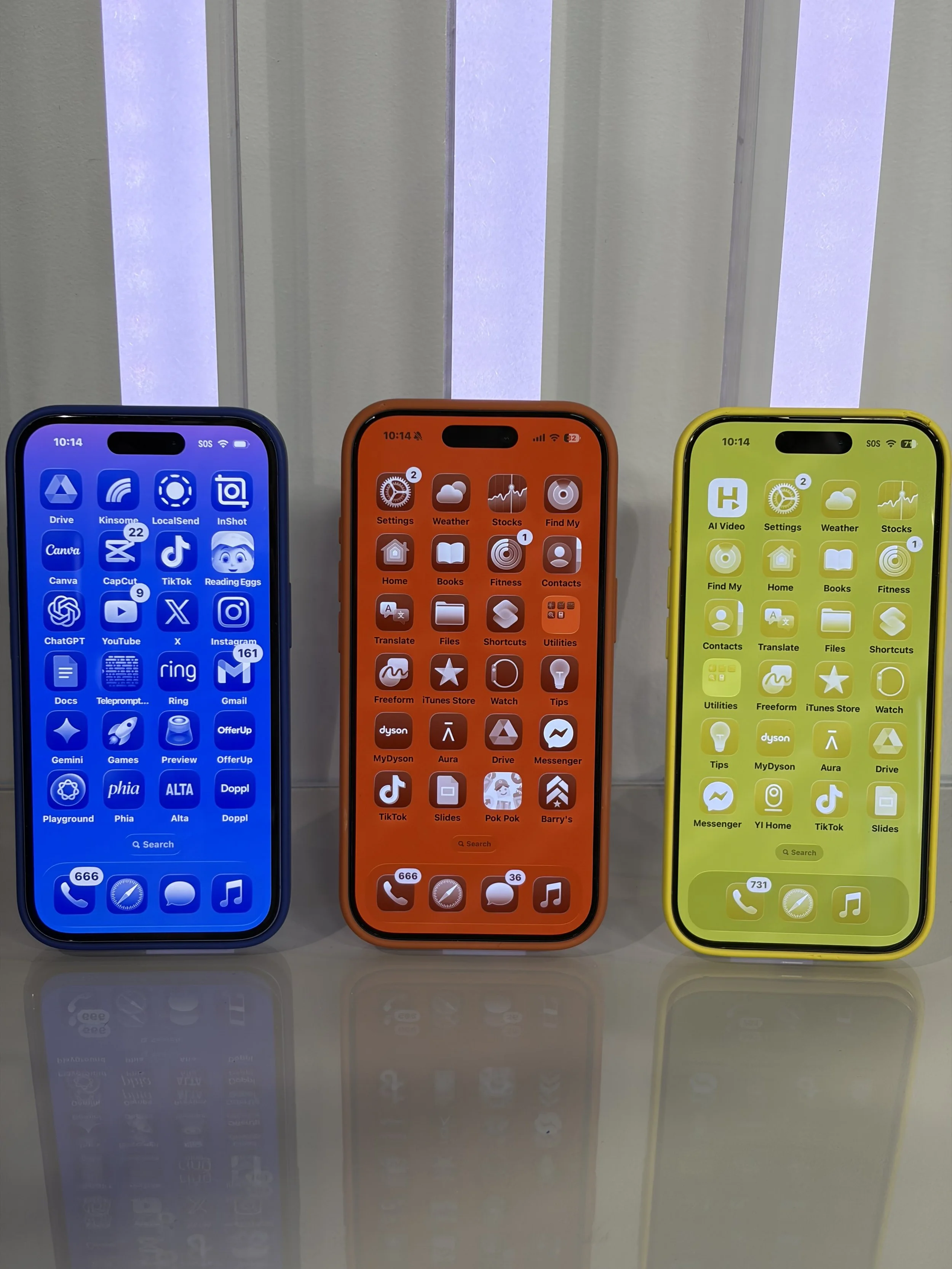
Your iPhone Can Customize Itself to Match Your Case
If you like personalizing your phone, this is a fun trick you may not know about.
Some iPhones can actually adjust the look of the home screen to match the color of your phone case. The feature works with Apple cases and sometimes other MagSafe-compatible cases, automatically tinting parts of your interface to coordinate with the case color.
It’s a small detail, but it makes your device feel more personalized.
How to Match Your Home Screen to Your Case Color
Here’s how to turn it on:
Put your phone case on your iPhone.
Long-press anywhere on the home screen.
Tap Edit in the top corner.
Select Customize.
Choose Tinted Icons.
Look for the iPhone icon in the bottom left corner.
Tap it to activate the case customization feature.
Once it’s enabled, your iPhone should adjust the home screen tint to better match the color of your case.
Does It Work With Every Case?
This feature works most reliably with Apple branded cases, since they’re designed to communicate with the phone through MagSafe.
However, it can sometimes work with other MagSafe-compatible cases depending on the brand.
And no it’s not magic. The case contains components that allow the phone to recognize it and apply the appropriate color profile.
A Small But Fun Customization Feature
Apple has been adding more ways to customize the iPhone experience, from widgets to tinted app icons and lock screen personalization.
Matching your interface to your phone case is just another small feature that makes your device feel a little more like yours.
If you’re using a MagSafe case, it’s definitely worth trying.
Watch my video on this here. Follow @jessicanaziri for more.